“Mindfulness in a rapidly changing technological world” – May 15, 2024, 2-4pm

There has been a noticeable increase in the use of educational technology, especially since the entire College went online in March 2020. Now, with the ubiquitous presence of Artificial Intelligence, and all the effects on education, work, and our lives, it is important to claim our humanity.    

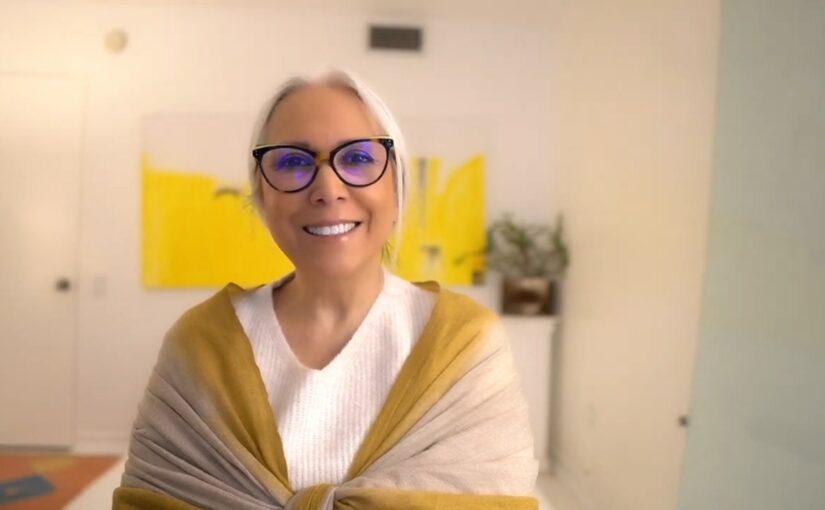
A workshop with Mitra Manesh, senior mindfulness educator at UCLA’s Mindful Awareness Research Center, with four decades of experience helping people of all ages and many different cultures live, love, and lead more consciously. Mitra has created self-coaching and professional coaching programs, and her clients range from individuals to institutions seeking balance. Some of her prior experience in Canada includes working as a Human Right Commissioner in Ontario and serving as a CBC commentator/panelist. Visit Mitra’s website for more information on her work.

The in-person workshop will be in the Indigenous Gathering Place (S4650) on Wednesday, May 15, from 2:00 pm to 4:00 pm.  

Please register via this link (Click on May 15 and then 2:00 and enter your relevant information).

Please add what you are hoping to get from this workshop and any questions you have regarding the topic to the registration form. 
Universal Design for Learning: What is it and how much extra work is it… really?

Join DESC (Douglas Educational Support Community) for this introductory session on UDL and how small changes to instructional delivery  can create significant impact on both the student and  instructor experience. Be prepared for an interactive experience (using UDL principles) with your phone/tablet. There will be an opportunity to ask questions throughout.

  • DateMonday, February 26
  • Time9:30-11:00 am
  • Location: We will be face to face! Come to room N3408.
  • Coffee and goodies will be available.

There are limited spaces available. Please register to save your spot.

Your facilitators will be:

  • Justine Charrier, Coordinator and Accessibility Specialist in Accessibility Services. She began her career at Douglas in 2015 working in the Vocational Education & Skills Training (VEST) department. Her background in Accessibility having worked in both the public and private sectors aided in the support she was able to offer students, staff and faculty. She transitioned into the Accessibility Services department in 2018 and has provided support to students, staff and faculty with regards to Assistive Technology, Accommodation Planning and Coordinating. Justine has been asked to advise on many issues surrounding accessibility such as; best practices incorporating UDL in curriculum, technology solutions, and accessible planning during renovations; to name a few. While completing her Masters of Education with a specialty in Curriculum and Instruction for Post-Secondary, her focused research project was A Comprehensive Post-Secondary Educator’s Guide to Accessibility Using Universal Design for Learning (UDL) Principles. Justine strives to provide a space where students feel supported and equal access is provided.
  • Rowan Lupton, Accessibility Specialist in Accessibility Services.  Rowan has worked in Accessibility Services in postsecondary for fifteen years.  She has also taught EASL and study skills classes.  She has been a keen student of UDL since completing her Masters in Education and is currently working on incorporating UDL for equity and to support executive functioning into her work with students.

Easy Transition To Blackboard Ultra – Fall 2023 Workshop Sessions

A man with a beard sitting at a table with a laptop in front of him

If you are teaching a face-to-face class in Winter, Summer, or Fall 2024, and will be using Blackboard to enhance or supplement your course, please register for one of the following Easy-Transition-to-Ultra sessions according to your availability. This opportunity will minimize the time and effort you need to make the transition. By the time you finish this 1-hour session, you will have the information to convert your existing Blackboard Original content into an Ultra Sandbox, Course Master, or upcoming course.

Select a registration date:

Tuesday, Oct. 10, 10:30 am

Wednesday, Oct.11, 1:00 pm

Wednesday, Oct.25, 10:30 am

Thursday, Oct.26, 1:00 pm

Friday, Nov.10, 10:30 am

Recording: Students Working Together with MS Office 365 and Blackboard

Title slide from the presentation. It says, "Students Working Together with MS Office 365 and Blackboard" Douglas College. Nathan Hall
Click on the image above to access the recording from the session.

Thank you to everyone who was able to attend the session last Wednesday on Office 365 and Blackboard. The recording can be found by clicking the title slide above. The slides can be located here.

Related resources:

OneDrive

InformationExamples
Share PowerPoint slides in OneDriveLLPA 1100 Week One – Design
Share a Word document in review modeSetting up a positive learning environment in Zoom
Upload and share a video in OneDriveSTSU 1100: An introduction to Office 365 and Class Notebook
Use the Microsoft OneDrive app to scan pages ​Example scan to PDF
Using shared folders in OneDrive ​Example shared folder
Record Video in the iOS OneDrive App ​Example video recording

OneNote and Class Notebook

Information
Overview of Class Notebook  ​
OneNote Class Notebook Create Distribute Review ​​
Create and share a OneNote notebook with students ​​
Create a Group Space with OneNote Class Notebook ​​
Add a Class Notebook to your Blackboard course ​​
Create Sections and Section Groups in Class Notebook ​​
Insert Items into a Page in Class Notebook ​​

Bookings

Information
Create an online booking page for office hours using Microsoft Bookings

Sway

Information
Convert a Word document into a webpage

Whiteboard

Information
The new and improved Microsoft Whiteboard

OneNote Class Notebook Training

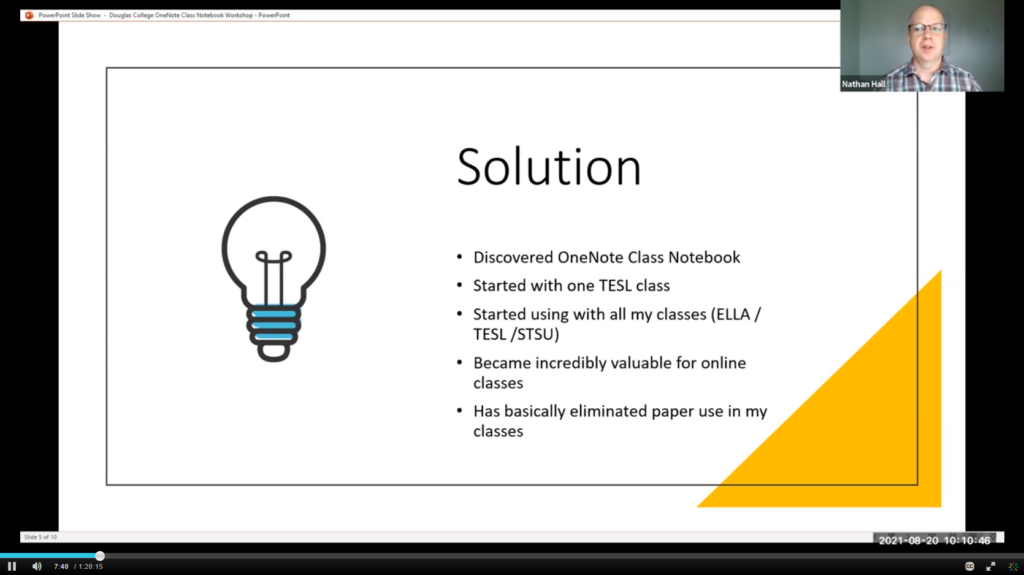
I held a OneNote Class Notebook Workshop on August 20, 2021. For those who unable to attend, the session was recorded. Here is a link to the recording along with additional resources:

Workshop Recording 

Screenshot of the video. Click on link to access

 Start Here   

 Creating a Class Notebook   

 Using Class Notebook   

What does that have to do with technology?

By Steven Bishop

I am getting better at answering the question, “What you are talking about is important, but what does that have to do with technology?” This question is probably more implied, and probably more personal and internal, than one I am asked by others directly. My job title is Online Learning Designer, a role that involves:

  • supporting faculty with their use of the college’s Learning Management System (LMS)
  • collaborating with educational and informational technology staff to ensure currency and quality of online learning environments
  • instructing faculty in the design and production of online learning objects
  • providing “exceptional client-centered service on a consistent basis to all stakeholder groups”

Depending on what one thinks technology means, there is lots of room for interpretation of the above functions. Because the environment is technological (e.g. digital, computer-based, online), there can be an assumption that the primary work is within prescribed technologies. Ursula Franklin, defines a prescriptive technology as that which “Each step is carried out by a separate worker, or group of workers, who need to be familiar only with the skills of performing that one step. This is what is normally meant by division of labour.” (Franklin, 1990)

Franklin also identifies holistic technology as “…associated with the notion of craft” and involving decisions that can only be made while the work is in process, by the artisan themselves. Holistic technology is endangered in our modern, compliance-based, and prescriptive technological environment, where one misplaced character in a line of code causes failure, and where algorithms decide what information we are fed on our smart phones and computers.

There are a number of reasons why I think a holistic approach to Educational Technology is needed, Continue reading What does that have to do with technology?

Creating emotional safety in learning environments: Oct.23, 9-11AM, New West campus, room S0620

What it is

Have you ever been part of a group (in class, online, or in the workplace):

  • Where you didn’t feel comfortable or empowered to participate?
  • Where one group member was being culturally insensitive to another?
  • Where you felt bullied?

We can all relate to having experienced BAD group dynamics. Yet group work is critical to creating effective student engagement, even good work team relations. Learn about some dynamic strategies for promoting and enhancing positive group dynamics that enable everyone to participate!

By the end of this workshop you will be able to:

  • Reveal insights and paths through non-verbal expressions
  • Stop counterproductive activities and behaviours, making space for productive collaboration and innovations
  • Rapidly generate and sift through a group’s most powerful actionable ideas
  • Use Liberating Structures to pave the way for successful group interactions while creating an emotionally safe environment

How we’ll do it

Using Liberating Structures activities, Sandra Polushin, Leva Lee, Steven Bishop, and Hope Miller will facilitate ways to create emotionally safe group spaces to promote effective and successful group interactions.

We will model the importance of creating a trusting group climate in order to promote the work of the group. You, in turn, will be able to use these same techniques in your classroom, online course space, and team meetings.

How we got here

For some background on how we got here, please listen to this short audio clip, which all started with the “Storming the Ivory Tower” event with Ross Laird held last fall.

Who should come

Students, faculty, and staff are ALL welcome at this event, as well as interested parties from other institutions.

Format and details

 Join us for a two-hour workshop in our new Collaboration Room (S0620), New Westminster campus on October 23 from 9-11AM.

Click here for REGISTRATION information.

Photo by Morgan Basham on Unsplash