Inclusive Teaching with Sarah Skinner


We caught up with Sarah Skinner, an Early Childhood Education instructor, about her first year in a full-time faculty role and her evolving approach to inclusive, student-centered teaching. Sarah shares how Universal Design for Learning (UDL) principles, multiple means of expression, and real-world inclusive strategies are shaping her courses—especially in asynchronous online environments.

Sarah reflects on her recent attendance at the Canadian Society for the Study of Education (CSSE) conference and shares a few memorable sessions and takeaways, including using case studies based on refugee families’ lived experiences and incorporating visual note-taking into learning activities. These approaches center student agency and creativity while maintaining clear learning goals.

Key Topics

  • Sarah’s background in occupational therapy and inclusive education
  • Implementing Universal Design for Learning (UDL) in practice
  • Tools like Padlet for engagement and collaboration
  • The value of choice in learning modalities (e.g., essays, podcasts, paintings, carvings)
  • Conference reflections from CSSE and ideas for case-based learning
  • Explorations of visual note-taking in asynchronous online learning
  • The importance of preserving joy, diversity, and human-centered learning in the face of increasing automation and AI

Tools & Teaching Strategies

  • Padlet for visual and collaborative learning
  • Kaltura media tools for multimedia sharing in online courses
  • Visual note-taking as an inclusive and creative learning strategy
  • Gallery walks as assessment and dialogue tools
  • Flexible assessments (papers, songs, carvings, videos) that align with consistent learning outcomes

Takeaway Quotes

“Inclusive education is education.”
“UDL is about fixed goals and flexible means.”
“We’re not just looking for a well-written essay—we’re looking for understanding.”
“When students are engaged and joyful, they’re more likely to think for themselves.”


🔗 Related Links

Access Sarah’s presentation via the link below:

Padlet-for-Choice-and-Flexibility-1


Sarah welcomes collaboration and conversation with other Douglas College instructors who are interested in inclusive teaching, creative assessments, or translating hands-on activities to online environments.
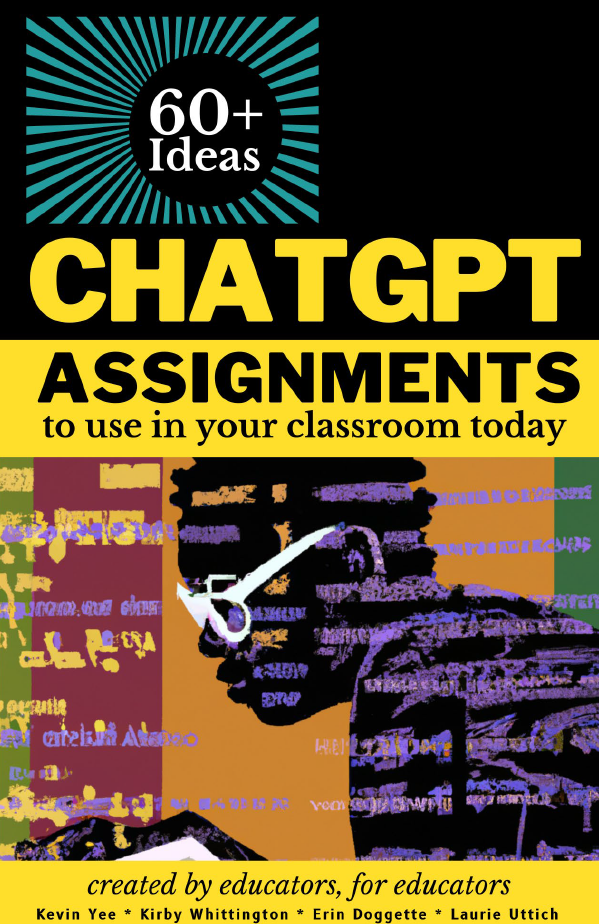
Free OER Book: ChatGPT Assignments to Use in Your Classroom Today

As part of DESC’s ongoing work to provide resources to educators across Douglas College, we provide the following Creative Commons licenced book from the University of Central Florida on creating assignments that incorporate AI chat tools such as ChatGPT. These would also work with the Douglas College access to Microsoft’s BING AI chat through our Office 365 account.

Reference:

Yee, Kevin; Whittington, Kirby; Doggette, Erin; and Uttich, Laurie, “ChatGPT Assignments to Use in Your Classroom Today” (2023). UCF Created OER Works. 8.

Cover of ChatGPT Assignments to Use in Your Classroom Today. Click on the image to download.
Click on the image above to download

Stumbling Blocks and Stepping Stones – “AI in the classroom”

The ChatGPT main screen

Join your peers from across Douglas College as we share “Stumbling Blocks and Stepping Stones”: a monthly series celebrating our struggles and successes in teaching and learning.

Moderated by Tim Paul, Manager, Academic Technology Services and member of Douglas Educational Support Community (DESC), “Stumbling Blocks and Stepping Stones” is structured around 3 short faculty presentations and an optional 30-minute discussion time. Developed under the philosophy of professional development through collegial sharing, we hope that the experience of others will help you to find community, creativity, and the strength to explore new opportunities.

  • Theme: AI in the Classroom: Educator Experiences and Classroom Guidelines
  • Date: Tuesday, November 14
  • Time: 10:35-11:30 am

Our panelists will be:

  • Jim Palmer (Music, LLPA)
  • Nina Blanes (BSN, HS)
  • Doug Beech (Marketing, CBA)

In this session, our panelists will provide examples of how AI is utilized (and not utilized) in their classrooms, shedding light on their approaches to communicating with students about the responsible use of generative technology. Gain valuable insights and practical inspiration for your own teaching methods in this session. 

Visit the Stumbling Blocks and Stepping Stones page for the recording once the session is done.

Blackboard Ultra – Setting up assignments

A ceramic mug on a desk next to a laptop open to a group Zoom call

Every month, the Blackboard Ultra Champions group meets to discuss topics related to supporting those who are making the switch to Blackboard Ultra. This group is made up of Blackboard Ultra users who share ideas and questions with the goal of supporting all users across the college. From time to time, we will share sections of those recorded meetings. Today’s meeting focused on the area of setting up assignments in Blackboard Ultra. Here is a 20-minute section of that meeting demonstrating some of the nuances of grading and assignment set up. Click on the image below to access that recording.

Easy Transition To Blackboard Ultra – Fall 2023 Workshop Sessions

A man with a beard sitting at a table with a laptop in front of him

If you are teaching a face-to-face class in Winter, Summer, or Fall 2024, and will be using Blackboard to enhance or supplement your course, please register for one of the following Easy-Transition-to-Ultra sessions according to your availability. This opportunity will minimize the time and effort you need to make the transition. By the time you finish this 1-hour session, you will have the information to convert your existing Blackboard Original content into an Ultra Sandbox, Course Master, or upcoming course.

Select a registration date:

Tuesday, Oct. 10, 10:30 am

Wednesday, Oct.11, 1:00 pm

Wednesday, Oct.25, 10:30 am

Thursday, Oct.26, 1:00 pm

Friday, Nov.10, 10:30 am

When things go sour

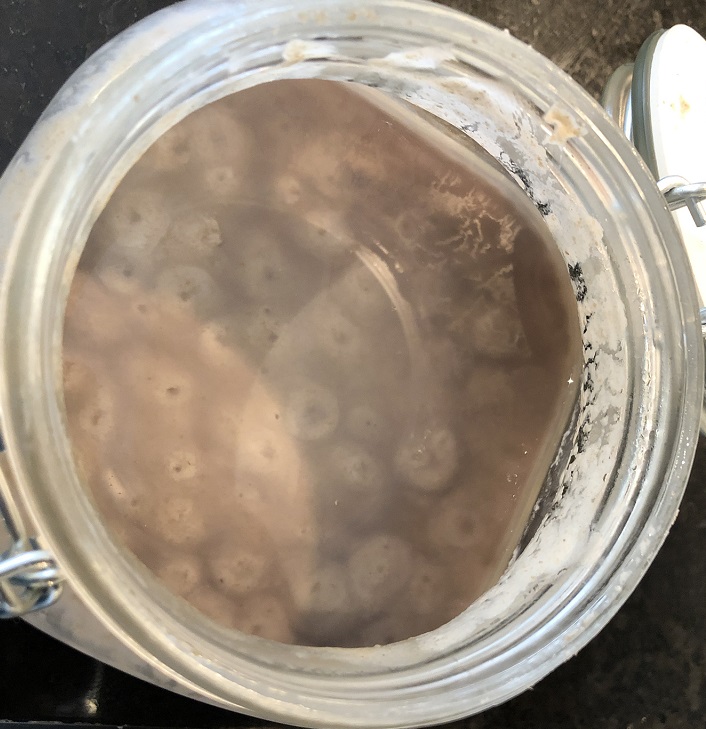
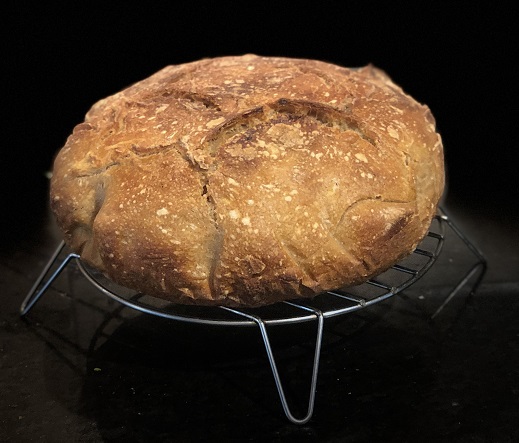
Like many in quarantine, I decided to try making sourdough bread. I pulled the neglected jar of starter out of the fridge and read the instructions from the friend who had given it to me months earlier. I realized the starter did not look too good, texted my friend for further directions, and accepted the response that I had been a “bad bad boy”.  

Neglected starter

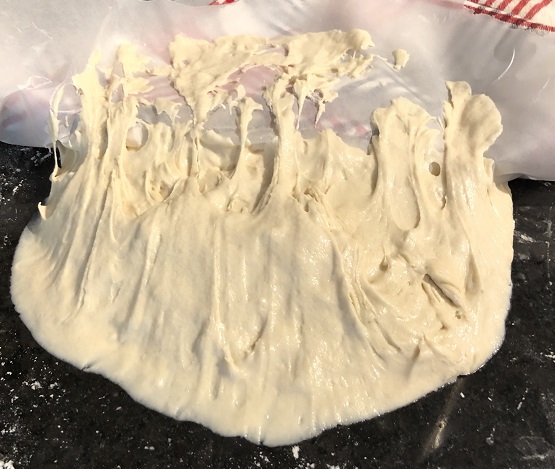
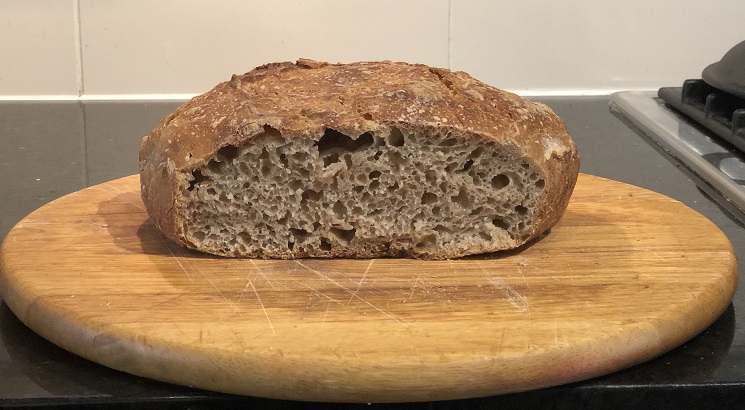
After resuscitating the starter, and following the recipe, I succeeded in baking a passable bread. My subsequent attempts were disappointing. One time I had to bake the dough because it was so sticky, I otherwise could not figure out how to dispose of it.

way too sticky

I do not like failure; so, I kept trying. Other people’s recipes and suggestions, internet searches, the Tartine Bread book, live chat with an experienced baker. I was still making less than hoped for loaves….

One over-tasking, multi-pressured morning, I lost it. I blamed the crummy scale that kept turning off midway through refreshing the starter. I blamed the recipes, the flour, the water, the process itself, the absurdity of life. I felt discouraged and angry at the whole endeavor. As my fit subsided, I did a bit of self-reflection (and apologizing). That is when the thought came to me, maybe many of the instructors I had been trying to support over the last many weeks in the sudden transition to remote teaching were experiencing analogous frustrations with Blackboard, online anything/everything, and technology in general. Maybe my frustration had some parallel to what instructors feel when they are trying to learn unfamiliar tools and strategies—following the various “recipes” provided.

The little leaven of fellow-feeling activated something in me. Learning a new skill is hard work. Learning under pressure, in new environments, and in isolation is even harder. The loaves are getting more consistent, the process more familiar, the bread delicious and well-raised.

Baking bread is nothing like remotely instructing dozens of young people, and ensuring they have the best possible educational experience. Producing an instructional environment is necessary. Not the only, but a very important, aspect of instruction. Each iteration shows development and improvement. Maybe analogous to bulk fermentation. Rest and “folding in” are critical elements as well… the analogies keep coming – (“faculty mentors are like sourdough starter” “too much incorporated fermentation is like an over-bloated course”) – I think you get the idea.

I am a beginner, learning to value processes. My own, and those I am attempting to support, and feel humbled and encouraged to keep going. I have a growing appreciation for the opportunity to work with so many fine educators.

when things go sour, add some flour

We would like to acknowledge that we live, learn, work, and play on the unceded traditional territories of the Coast Salish Peoples of the QayQayt and Kwikwetlem First Nations.

Podcast! Encourage your students’ voice


Lisa Smith and Steven Bishop facilitated a workshop at Douglas College that opened up discussions about listening and encouraging student voice, examined Lisa’s process of developing a podcasting assignment in her Gender and Youth Cultures class, and provided some basic audio recording information. The workshop included:

  • Listening as practice (activity)
  • A case study of the development, implementation, and showcasing of a classroom podcast assignment
  • Examples of student and expert podcasts
  • Skills inventory (activity)
  • Technical overview of audio recording, editing, and producing
  • Live recording demo with Audacity software and Yeti microphone
  • Full group discussion of how to bring this approach into the class

Link to the PODcast! Presentation

Link to Podcast Workshop Resources (Google Document)

We would like to acknowledge that we live, learn, work, and play on the unceded traditional territories of the Coast Salish Peoples of the QayQayt and Kwikwetlem First Nations.

What does that have to do with technology?

By Steven Bishop

I am getting better at answering the question, “What you are talking about is important, but what does that have to do with technology?” This question is probably more implied, and probably more personal and internal, than one I am asked by others directly. My job title is Online Learning Designer, a role that involves:

  • supporting faculty with their use of the college’s Learning Management System (LMS)
  • collaborating with educational and informational technology staff to ensure currency and quality of online learning environments
  • instructing faculty in the design and production of online learning objects
  • providing “exceptional client-centered service on a consistent basis to all stakeholder groups”

Depending on what one thinks technology means, there is lots of room for interpretation of the above functions. Because the environment is technological (e.g. digital, computer-based, online), there can be an assumption that the primary work is within prescribed technologies. Ursula Franklin, defines a prescriptive technology as that which “Each step is carried out by a separate worker, or group of workers, who need to be familiar only with the skills of performing that one step. This is what is normally meant by division of labour.” (Franklin, 1990)

Franklin also identifies holistic technology as “…associated with the notion of craft” and involving decisions that can only be made while the work is in process, by the artisan themselves. Holistic technology is endangered in our modern, compliance-based, and prescriptive technological environment, where one misplaced character in a line of code causes failure, and where algorithms decide what information we are fed on our smart phones and computers.

There are a number of reasons why I think a holistic approach to Educational Technology is needed, Continue reading What does that have to do with technology?

I mentor, you mentor, we ALL mentor

rawpixel-com-250087

Our job is to work with faculty to integrate educational technology in their courses. That means training with a capital T, as well as running special events (guest speakers, symposiums, webinars, etc.). But connecting with them is no easy feat.

A little background…

We follow college protocols, writing stories and events for our Intranet, but many instructors are simply not logging into the site.  So, we’ve opted to write pleading emails to the Admin Officers, Chairs, even the Deans, asking for their support in getting the word out about our training events. Though more successful than relying solely on our Intranet, we still haven’t achieved critical mass. Hey, we’ve even gone old school, designing posters with catchy graphics to attract people. And, yes, we’re blogging too…

I’ve gotta’ tell you: it’s more than a little deflating to have two people show up for a planned event when 30 were expected. Considerable energy is spent strategizing, writing, and promoting training opportunities. And, it isn’t just us. It seems that most PSE departments in support roles are all trying to reach their respective audiences, but with less-than-stellar results.

So, here’s what we worked out:

We’re adopting a concierge model. Instead of trying to reach out to the greatest number of faculty possible, we’re focusing on those who approach us for help: consulting with them about their course design, discussing desired learning outcomes, reviewing the ed tech options, then designing learning objects that match those outcomes. These same faculty are asked to present their experiences to other interested instructors, forming a group of faculty mentors.

“This is nothing new,” you’ll say, and you’re right. But we are looking at faculty mentors through a new lens to assist them with their goals, while at the same time promote our agenda, which is ultimately connecting with faculty. A truly symbiotic relationship is what we’re after.

Since this model is still very much in its infancy in our department, we’ll keep you posted on our results. Fingers crossed!


The Lightboard is coming! The Lightboard is coming!

Truth be told, it’s already here. Yes, Douglas College is now the proud owner and purveyor of a Lightboard. After first reading about this technology on Twitter back in 2015, we finally have our own board, thanks to the DC Innovative Technology Projects Fund.

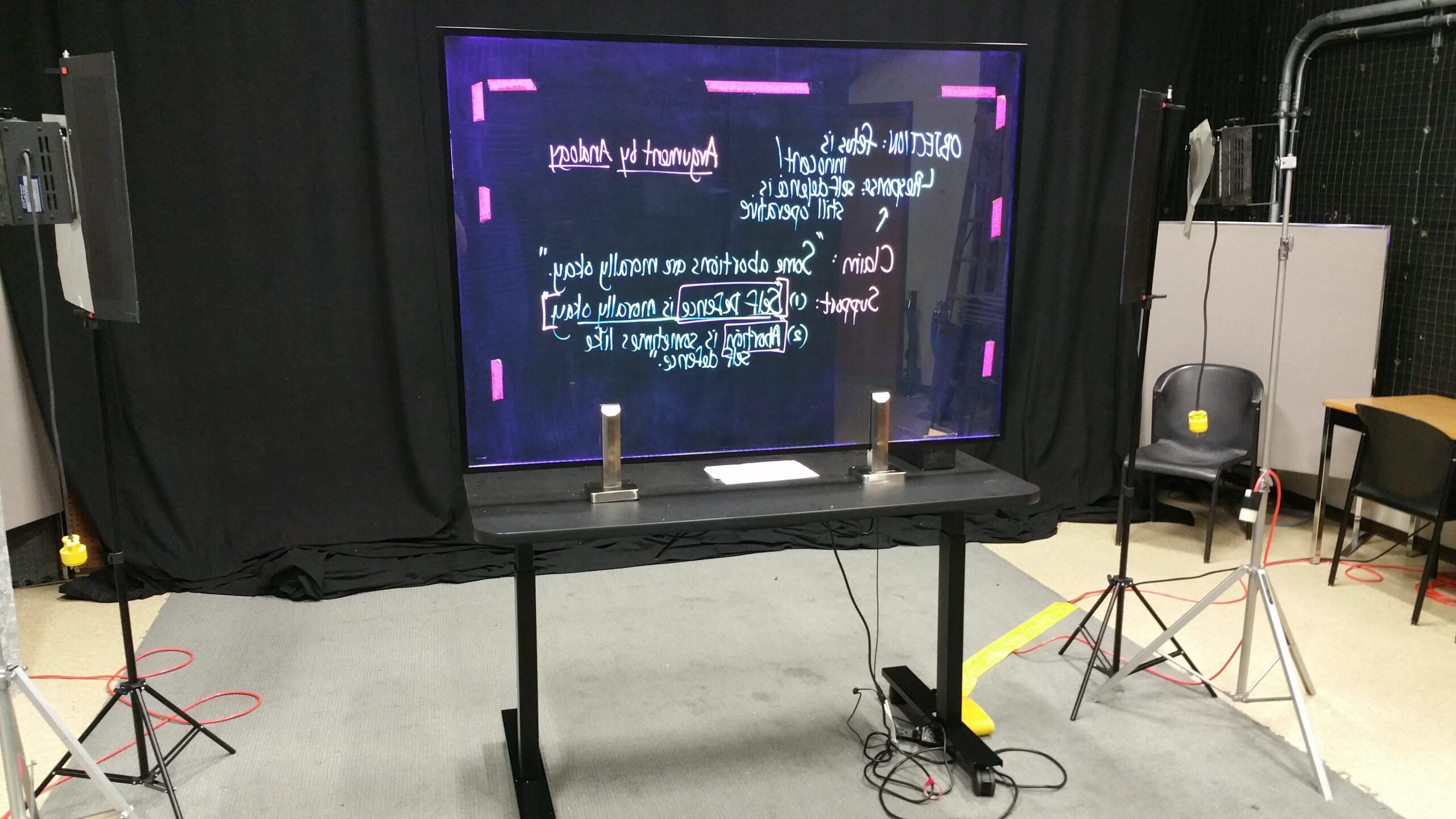
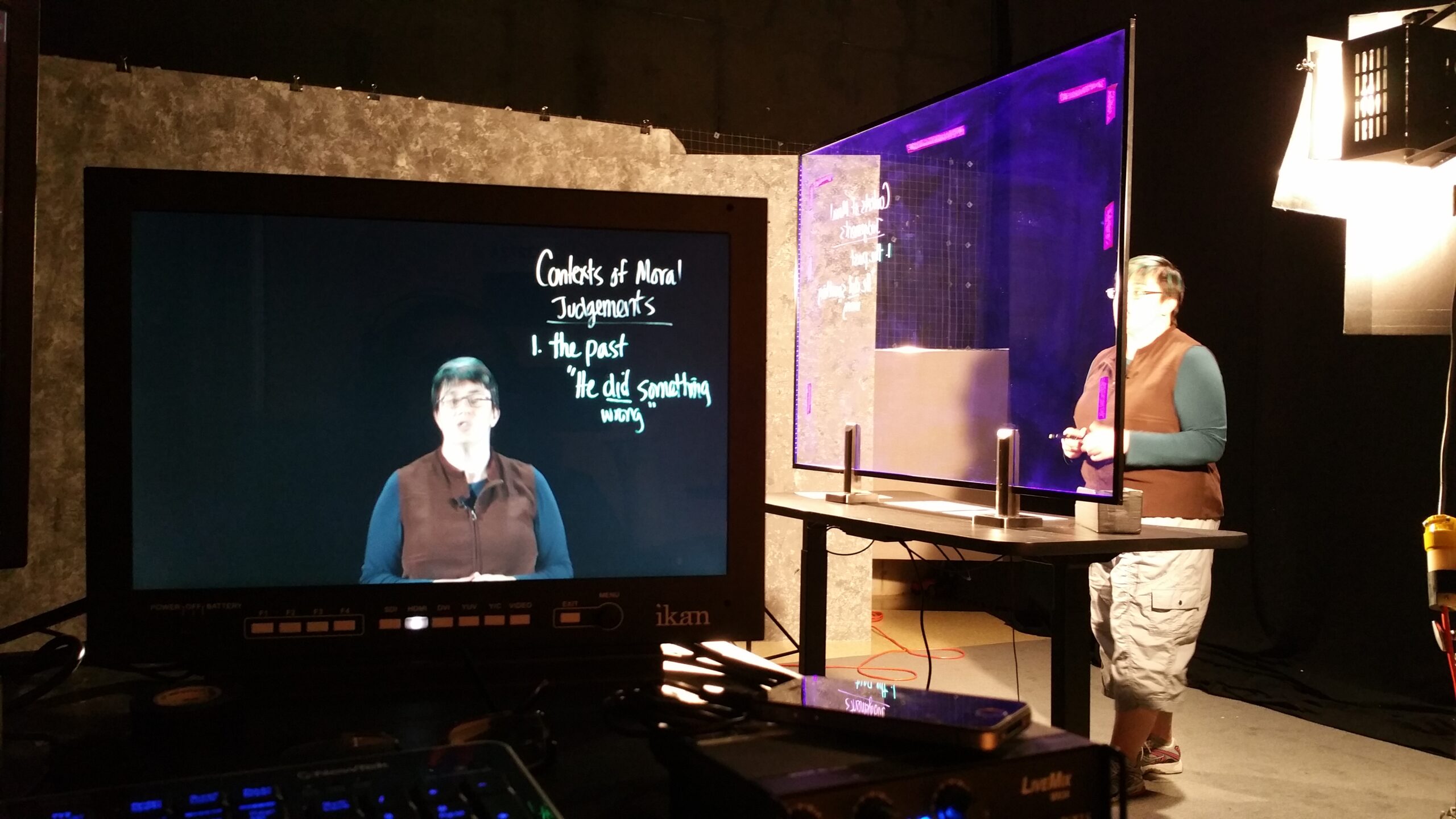
And what is the Lightboard? Actually, it’s very much like a whiteboard, replacing the hard whiteboard surface with glass. The glass is mounted on a desk that can move up and down, depending on the height of the person using it. It’s also surrounded by lights, which, when used with special fluorescent markers makes for a very pleasing presentation.

Lightboard-deskKira-Lightboard-desk

But the true beauty of the Lightboard lies in the fact that the instructor can write her lesson concepts on the board facing the video camera, then through the magic of mirrors, the image is transposed, displaying properly for the viewer of the recordings. By recording your lecture via the Lightboard, you then have the ability to post the recording in your Blackboard course, reusing it repeatedly until the material needs updating.

The ATS team is excited about this new technology and looks forward to helping instructors integrate it into their teaching practice.