Reimagining Post-Secondary Education with Karine Hamm

Karine Hamm, Coordinator, Sports Science Diploma and I met to discuss a DESC project we are working together on involving a series of recorded interviews and dialogues with colleagues, students, and other educators that will address the topic of Reimagining Post-Secondary Education.

Here are some links to things mentioned in the recording

Our recording ending a bit abruptly and we thanked each other after stopping the recording. Watch for future installments in this series and if you would like to participate please contact Karine at duvalk@douglascollege.ca or Steven at bishops@douglascollege.ca

Click on the image above to listen to the recorded dialogue

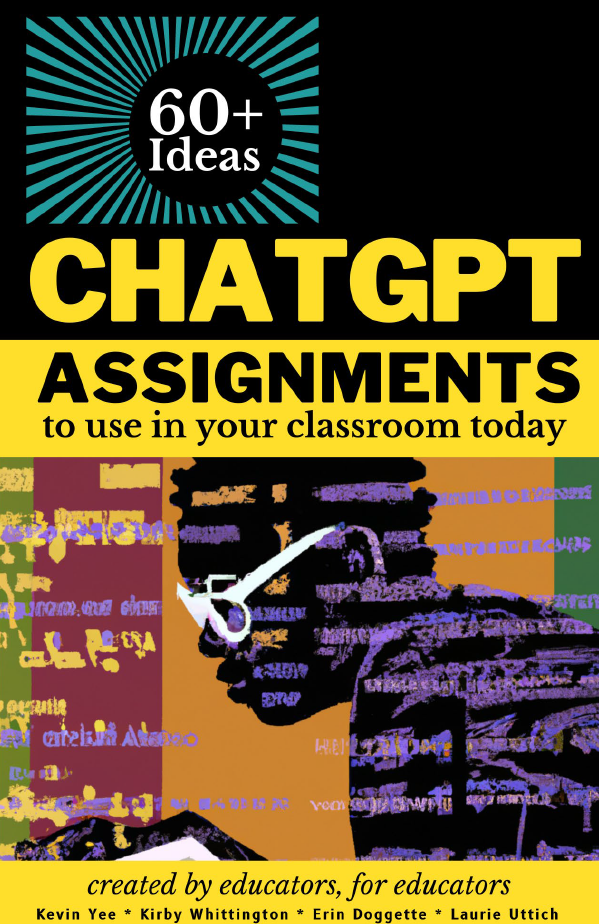
Free OER Book: ChatGPT Assignments to Use in Your Classroom Today

As part of DESC’s ongoing work to provide resources to educators across Douglas College, we provide the following Creative Commons licenced book from the University of Central Florida on creating assignments that incorporate AI chat tools such as ChatGPT. These would also work with the Douglas College access to Microsoft’s BING AI chat through our Office 365 account.

Reference:

Yee, Kevin; Whittington, Kirby; Doggette, Erin; and Uttich, Laurie, “ChatGPT Assignments to Use in Your Classroom Today” (2023). UCF Created OER Works. 8.

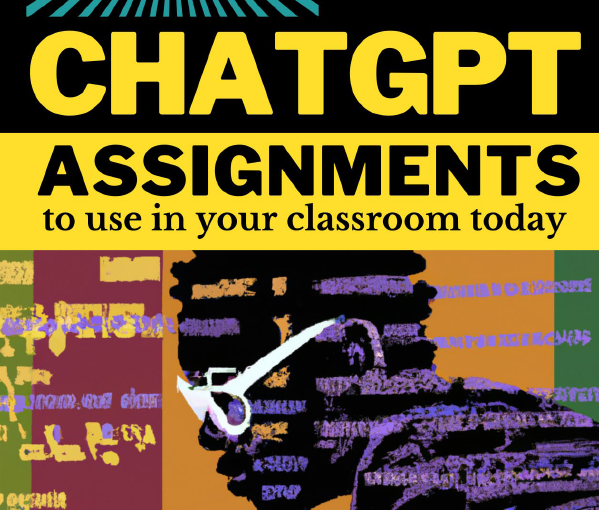
Cover of ChatGPT Assignments to Use in Your Classroom Today. Click on the image to download.
Click on the image above to download

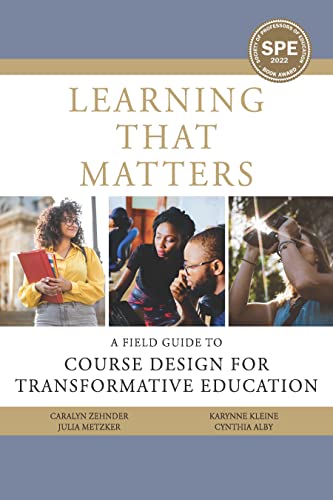
DESC Book Club -Winter 2024 “Learning That Matters”

The cover of the Learning That Matters book

When: Five Fridays 3:30-5pm in N4206 (NW campus) – January 12, February 2, March 1 & 8, and April 5

Facilitated by Nathan Hall, LLPA Teaching Faculty / Educational Technology and Pedagogy Coordinator

Please join me as we work through Learning That Matters: A Field Guide to Course Design for Transformative Education by Caralyn Zehnder, Julia Metzker, Karynne Kleine, and Cynthia Alby (Myers Education, 2021)

12 copies will be available to borrow through the library; space is limited to 15 participants.

This volume is a practical “work book” that guides post-secondary instructors in designing a student-centred learning experience.

From the authors:

Meaningful learning opportunities “don’t just happen, they need to be intentionally designed. This book supports those who will undertake this vitally important work. [This book] is a pragmatic resource for designing courses that engage college students as active citizens. This ‘work’ book provides research-informed approaches for creating learning experiences and developing innovative, intellectually-engaging courses.”

Registration form

Tea and Bannock with Aunty Marny – November 8, 2023

Headshot of Elder Marny Point

Join us on November 8 from 10-12 pm for tea and bannock in the Indigenous Gathering Place at the New Westminster Campus to meet our New Elder in residence. Please feel free to drop by anytime. 

Marny Point is from the Musqueam band, of the Coast Salish people.  She earned both her degrees: A Bachelor of Education & Master of Educational Technology and is currently a Ph.D. student in LLED at UBC. Marny has taught for NITEP UBC’s Indigenous Bachelor of Education program as well as in the First Nation’s Endangered Language Program Instructor, teaching the traditional Musqueam language course, hən̓ q̓ əmin̓ əm̓ from 2002 until 2019. She understands how the connection to Indigenous languages; gives value, honour and a sense of identity, which cements Native Indigenous, people in place and culture. Marny is an avid fisherwoman – owning and operating her own gillnetter. Harvesting sockeye salmon from the Fraser River, as her dad and grandfather always did. Marny is actively involved in the education of the Indigenous youth and sits on many committees to ensure the betterment of Indigenous education. 

Stumbling Blocks and Stepping Stones – “AI in the classroom”

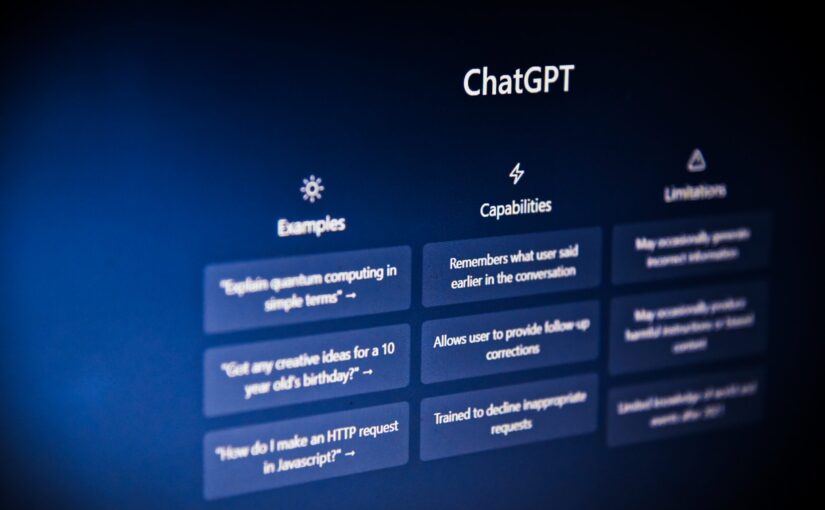
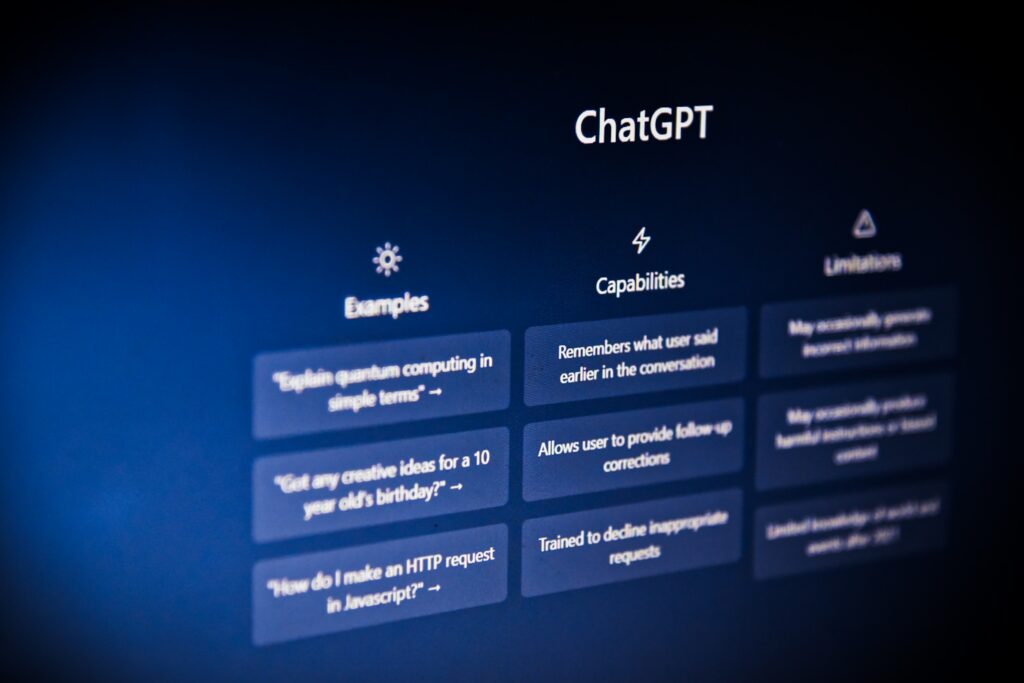
The ChatGPT main screen

Join your peers from across Douglas College as we share “Stumbling Blocks and Stepping Stones”: a monthly series celebrating our struggles and successes in teaching and learning.

Moderated by Tim Paul, Manager, Academic Technology Services and member of Douglas Educational Support Community (DESC), “Stumbling Blocks and Stepping Stones” is structured around 3 short faculty presentations and an optional 30-minute discussion time. Developed under the philosophy of professional development through collegial sharing, we hope that the experience of others will help you to find community, creativity, and the strength to explore new opportunities.

  • Theme: AI in the Classroom: Educator Experiences and Classroom Guidelines
  • Date: Tuesday, November 14
  • Time: 10:35-11:30 am

Our panelists will be:

  • Jim Palmer (Music, LLPA)
  • Nina Blanes (BSN, HS)
  • Doug Beech (Marketing, CBA)

In this session, our panelists will provide examples of how AI is utilized (and not utilized) in their classrooms, shedding light on their approaches to communicating with students about the responsible use of generative technology. Gain valuable insights and practical inspiration for your own teaching methods in this session. 

Visit the Stumbling Blocks and Stepping Stones page for the recording once the session is done.

Three things you need to know about AI “detectors”

Grey background with AI written in white in large letters in the centre of the image

Instructors may not submit student material to AI Detectors: Terms and Conditions require ownership over the intellectual property that is submitted; Students own their IP, not instructors​.

  • Douglas College – Freedom of Information & Protection of Privacy act [FIPPA]
  • Terms and Conditions from Copyleaks AI detector
    • “By accessing and/or using the site or services for any purpose whatsoever, you agree to the collection and use of any information or documents uploaded to the site or services, in addition to the collection of your personal information, all in accordance with these terms and under our privacy policy. Unless you delete any uploaded documents from Copyleaks’ servers in accordance with our privacy policy, we reserve the right to keep such uploaded documents in a data-base and use such documents for all purposes listed in our privacy policy.”

Student work may not be submitted to AI detectors without their consent: Students have the right to know if their material is being submitted to a third-party (who may profit off their IP) and the right to withhold consent (Rosenfeld v. McGill, 2004)​.

  • At Douglas College, you are required to get consent from a student before submitting their work to any third-party site that has not been properly vetted.
  • Students must be able to opt out without penalty.

“Detectors” don’t work as advertised: Open AI recently admitted this by pulling its own “detector”; Beware of the “Appeal to Statistics” Fallacy


© 2023 Janette Tilley and Nathan Hall. This document is Creative Commons licensed under CC BY-SA 4.0. This license allows reusers to distribute, remix, adapt, and build upon the material in any medium or format, so long as attribution is given to the creator. The license allows for commercial use. If you remix, adapt, or build upon the material, you must license the modified material under identical terms.

Blackboard Ultra – Setting up assignments

A ceramic mug on a desk next to a laptop open to a group Zoom call

Every month, the Blackboard Ultra Champions group meets to discuss topics related to supporting those who are making the switch to Blackboard Ultra. This group is made up of Blackboard Ultra users who share ideas and questions with the goal of supporting all users across the college. From time to time, we will share sections of those recorded meetings. Today’s meeting focused on the area of setting up assignments in Blackboard Ultra. Here is a 20-minute section of that meeting demonstrating some of the nuances of grading and assignment set up. Click on the image below to access that recording.

Easy Transition To Blackboard Ultra – Fall 2023 Workshop Sessions

A man with a beard sitting at a table with a laptop in front of him

If you are teaching a face-to-face class in Winter, Summer, or Fall 2024, and will be using Blackboard to enhance or supplement your course, please register for one of the following Easy-Transition-to-Ultra sessions according to your availability. This opportunity will minimize the time and effort you need to make the transition. By the time you finish this 1-hour session, you will have the information to convert your existing Blackboard Original content into an Ultra Sandbox, Course Master, or upcoming course.

Select a registration date:

Tuesday, Oct. 10, 10:30 am

Wednesday, Oct.11, 1:00 pm

Wednesday, Oct.25, 10:30 am

Thursday, Oct.26, 1:00 pm

Friday, Nov.10, 10:30 am

Changes to the Douglas College Grading Policy

 A person writing in a notebook

Starting September 1, 2023, the new Douglas College Grading Policy will be taking effect. The change affects the Credit Courses Letter Grades ranges and replaces the P grade with a D. These changes brings Douglas College into alignment with other post-secondary institutions.

GradeNumerical ValueAchievement Level
A+4.3390% to 100%
A4.0085% to 89%
A-3.6780% to 84%
B+3.3377% to 79%
B3.0073% to 76%
B-2.6770% to 72%
C+2.3365% to 69%
C2.0060% to 64%
C-1.6755% to 59%
D1.0050% to 54%
F0.0049% an below
UN0.00

What do I need to do with this information?

If you manually calculate your marks and grades using something like Gradekeeper or Excel, make changes to the percentage ranges for each letter grade. If you use Blackboard, make sure you use the New Letter Grade Standard DC grading schema.

What happens to my assignments on Blackboard?

The new grading schema may be currently available as an option on Blackboard when you are creating or editing assignments or tests. If it is not, it should be available by week three. Keep in mind that assignments and tests that copied over from a previous course might carry over the old grading schema. Check over all of your assignments to make sure they are using the new grading schema before making them available to students.

What if I have any questions about this?

Please reach out to the Service Desk if you want any help with this or have any questions: servicedesk@douglascollege.ca

How to craft an artificial intelligence statement for your course outline

a person sitting at a desk typing on a laptop

During the LLPA PD Days in August 2023, Janette Tilley (LLPA Associate Dean) and Nathan Hall (Faculty member / Educational Technology and Pedagogy Coordinator) gave a 90-minute session titled Chatting about AI: Assignment and syllabus design through the lens of academic integrity and generative AI tools. Attendees were provided an opportunity to revise or draft a syllabus / course outline statement on the use of generative AI in their courses. The following material was provided to guide the discussion. Consider each of these areas and how these might be used in the crafting of your own syllabus statement.

  • Students often aren’t aware that a specific tool is considered Generative AI.
  • (And with so many new tools emerging each week, it can be hard to keep up.)
  • Give examples, be precise about what behaviour is permitted, model what you like to see from students and show why.

Under what circumstances is AI use permitted or forbidden and why​.

  • Be transparent with students regarding when they are permitted to use AI and when they are not. Students could become confused and unintentionally violate your policy if it is not clear where the boundaries are.
  • Provide a rationale on why you are, or are not, allowing AI for their coursework. Have a conversation with your students, allowing them to share their thoughts as well.

How should students credit AI use​.

  • Use the formal ways in which to cite and reference AI-generated material (see the Citing AI-generated content section of this document for more information). You can either use one of those or come up with one of your own.
  • Consider asking the students about the amount of material that was AI-generated and how it was used.

Warn about the tendency of AI to hallucinate​.

  • Consider giving students an example to demonstrate where things can go wrong. Many students do not know how inaccurate AI-generated text can be.

Remind students about authorial accountability​.

  • Inform students that the success or failure of their work begins and ends with them. They are responsible for the content of their work, even if you allow them to use AI-generated content.

Note requirements to use AI ethically and responsibly​.

  • Make sure students understand the terms and conditions of use for any service they use.
  • Warn students that they should not submit course texts or writing prompts to AI services (tools that generate summaries may violate copyright and intellectual property rights).

Frame discussion around using tools to learn versus producing content.

  • Remind students that the product they create is not the actual goal of most courses. These items are simply ways of demonstrating their ability to understand and apply what they have learned.
  • If you encourage students to use any generative AI tools, be aware of privacy implications. 
  • Remember to review the terms and conditions of use.
  • If you use third-party tools, you are also required to inform students in advance in order to permit those who do not agree to the terms of service to opt out without penalty.

Policy statement samples

Sample 1 – Encouraging the use of AI

I expect you to use AI (e.g., ChatGPT and image generation tools) in this class. In fact, some assignments will require it. Learning to use AI is an emerging skill and I provide tutorial on how to use them. I am happy to meet and help you with these tools during office hours or after class.​

Be aware of the limits of ChatGPT, such as the following:​

  • If you provide minimum-effort prompts, you will get low-quality results. You will need to refine your prompts in order to get good outcomes. This will take work.​
  • Don’t trust anything it says. If it gives you a number or fact, assume it is wrong unless you either know the answer or can check with another source. You will be responsible for any errors or omissions provided by the tool. It works best for topics you understand.​

AI is a tool, but one that you need to acknowledge using. Please include a paragraph at the end of any assignment that uses AI explaining what you used the AI for and what prompts you used to get the results. Failure to do so is in violation of the Douglas College Academic Integrity Policy.

Be thoughtful about when this tool is useful. Don’t use it if it isn’t appropriate for the case or circumstance (Mollick & Mollick, 2023).

Sample 2 – Limiting the use of AI

This course will involve quite a lot of deep thinking and reading along with writing. Writing helps us think so the two activities are intertwined. ​

Using grammar check software is fine for this course, and I’ll never grade work on grammar – you can get all the grammar help you’d like.​

Your ideas are important to me and when we use generative AI tools to develop ideas, we’re avoiding some important opportunities to think and learn. I’d prefer you don’t use ChatGPT or Bing or Grammarly to get ideas, but if you do, you must give credit. You can do this with a footnote at the start of your essay, acknowledging contributions by whichever tool you used. We’ll go over some details together in Week 2.​

Remember: you are responsible for everything you submit for grading at the College. Generative AI can produce false and inaccurate information. If you include inaccurate or false information, you alone will be held accountable. Unauthorized and uncredited content generation is regarded as a type of academic misconduct as is falsification of research.​

Sample 3 – Prohibiting the use of AI

Since writing, analytical, and critical thinking skills are part of the learning outcomes of this course, all writing assignments should be prepared by the student. Developing strong competencies in this area will prepare you for a competitive workplace. Therefore, AI-generated submissions are not permitted (Ruehle, 2023).

References

Mollick, E. & Mollick, L. (2023). Why all our classes suddenly became AI classes: Strategies for teaching and learning in a ChatGPT world. Harvard Business Publishing Education. Retrieved from https://hbsp.harvard.edu/inspiring-minds/why-all-our-classes-suddenly-became-ai-classes

Ruehle, C. S. (2023). When AI is prohibited. https://docs.google.com/document/d/1BJBLwk14zMbqn_ySKDrfFnNugKAe-xx0c8qBxLtWbBI/edit?usp=sharing


© 2023 Janette Tilley and Nathan Hall. This document is Creative Commons licensed under CC BY-SA 4.0. This license allows reusers to distribute, remix, adapt, and build upon the material in any medium or format, so long as attribution is given to the creator. The license allows for commercial use. If you remix, adapt, or build upon the material, you must license the modified material under identical terms.