In this follow-up to the DESC Community-Based Learning workshop, Mustafa Syed from the Training Group describes how he uses digital tools and team-based learning approaches to support adult learners—particularly those in self-employment and career-transition programs.
The conversation explores how instructional design grounded in team collaboration, community building, and the BC Post-Secondary Digital Literacy Framework can create real-world outcomes for diverse learners. Drawing on examples from programs like Self-Employment Services, VOICE, and Encore, Mustafa shares how team dynamics, digital skill-building, and collaborative projects foster meaningful communication, promote peer-to-peer engagement, and empower students to connect, share, co-create in dynamic digital environments, and transform their business ideas into action.
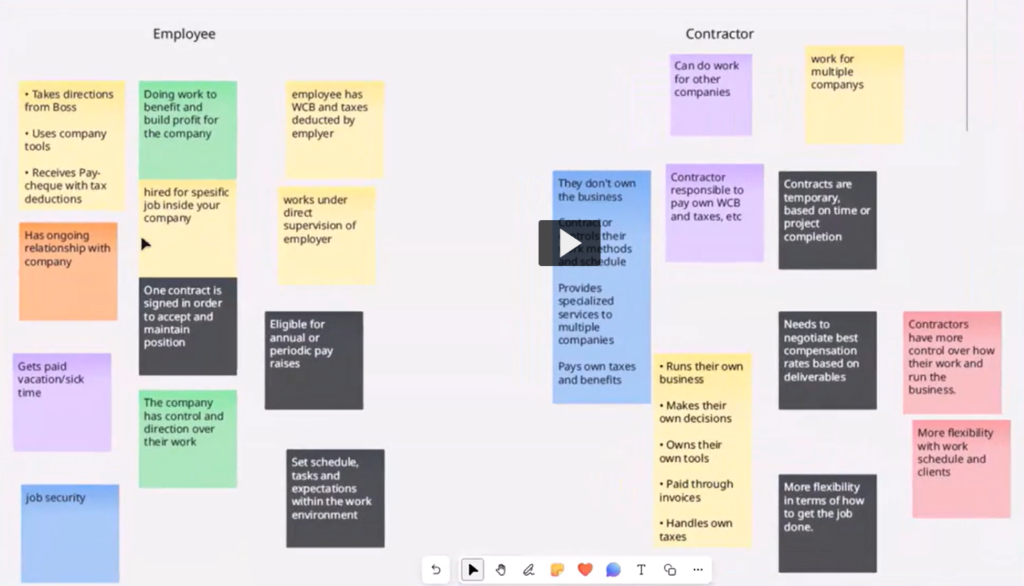
This recorded conversation highlights practical tools and strategies for fostering collaboration and digital literacy in team-based learning environments. Mustafa shares how platforms like Microsoft Whiteboard, Padlet, Blackboard, and Zoom are used to support real-time interaction, peer learning, and inclusive group work. Instructors will find inspiration for engaging learners and supporting diverse teams. Key takeaways include using digital tools to reduce barriers, form learning communities, and empower students to co-create meaningful projects.
After three inspiring days at the Digital Pedagogy Lab 2025, which was hosted by BCcampus in partnership with Jesse Stommel and Kwantlen Polytechnic University. I find myself reflecting on what makes teaching and learning meaningful, equitable, and joyful. As I was in the Reimagining Assessment: Care and Community track, the following notes represent topics discussed in that break-out theme, led by Dr. Jesse Stommel and Dr. Martha Burtis. (Note: Paraphrased quotes from the track are in italics.)
Across conversations on grading reform, first-generation student success, and digital learning environments, a central theme emerged:
Assessment should not be a barrier to learning—it should be a bridge.
When we shift our focus from grades to growth, from compliance to curiosity, we create classrooms where students engage deeply, take intellectual risks, and connect learning to their own lives. We explored research-backed strategies and practical applications to bring into our own teaching practices.
First-Generation Students: Making Learning Purposeful
One of the most impactful discussions centered on first-generation students, who often approach college with a transactional view of education—where grades, rather than learning, are seen as the goal. Research on cultural capital gaps shows that these students may struggle with unspoken academic expectations, leading to anxiety and disengagement.
Practical applications to teaching
Explicitly teach the hidden curriculum—Explain policies, feedback loops, and flexible deadlines.
Reframe grades as markers of growth—Help students see assignments as opportunities for learning, not just evaluations.
Build relational trust—Normalize asking for help and emphasize process over perfection.
Grades shouldn’t define a student’s worth—but for many, they’re tied to survival.
Classroom Environment: The Space We Teach In Matters
Classroom design influences engagement, equity, and participation in ways we often overlook. We had a lively discussion about how seating arrangements, lighting, and instructor positioning impact student interactions.
A few takeaways:
Fixed seating and sterile environments discourage engagement.
Flexible arrangements encourage discussion, collaboration, and accessibility.
Instructor positioning matters—sitting among students reduces hierarchy and increases participation.
If we want students to be active learners, we need spaces that allow them to be.
Since this was a digital pedagogy lab, we also discussed the implications of digital environments, and ways to reduce hierarchical and sterile online environments.
Bias in Grading: The Halo Effect & Hidden Prejudices
Grading is never neutral. A meta-analysis of 1,935 graders found that bias—often unconscious—shapes how we evaluate student work.
Common biases in grading:
The Halo Effect – If a student has done well before, their future work may be viewed more favorably.
The Reverse Halo Effect – Students who challenge grades or struggle early on may be judged more harshly.
Bias from transcript access – Knowing a student’s GPA, financial aid status, or past performance can subtly influence assessment.
How to Reduce Grading Bias:
Blind grading – we discussed the pros and cons of this, and the ways in which bias can creep into even blind grading
Shift from “points lost” to mastery-based rubrics.
Provide feedback before giving a grade. Also, keep feedback and grading separate; students often don’t consider the feedback important if it is adjacent to the grade.
Bias in grading isn’t just about race or gender—it’s about power, perception, and relationships.
Shifting from Grades to Meaningful Feedback
One of the most practical insights from the Assessment track was how to decenter grades and make feedback the focal point of learning.
Effective feedback strategies:
Process letters – Students reflect on their work before receiving a grade.
Self-assessment + instructor feedback – Encourages students to take ownership of their progress.
Feedback-first grading – Delays grading to allow students to focus on improvement rather than points.
When grades are the focus, students ignore feedback. When feedback is the focus, grades become secondary.
Redesigning Assignments for Intrinsic Motivation
A final, critical discussion centered on how we design assignments to spark curiosity and intrinsic motivation.
Practical strategies:
Reframe assignments – Instead of “This is worth 20% of your grade,” say: “This helps you develop X skill, which prepares you for Y challenge.”
Use mastery-based grading – Encourage students to improve over time rather than chase perfection.
Incorporate self-reflection – Ask students to set learning goals and evaluate their own growth.
Education isn’t about sorting students into winners and losers—it’s about empowering every learner to thrive.
A Call to Action: Redefining Success in the Classroom
Grading reform isn’t just about changing policies—it’s a philosophical shift. It asks us:
Do my assessments foster learning or just compliance?
Do my grading practices reflect my values or institutional habit?
Am I creating conditions where all students—not just the privileged—can thrive?
Teaching should be a space of intellectual excitement, deep engagement, and genuine curiosity. The more we humanize assessment, remove unnecessary barriers, and promote student agency, the more we create joyful, meaningful learning experiences.
I left this conference energized and committed to these shifts—not just for my students, but for the future of teaching and learning itself.
Because education is more than a transcript—it’s about transformation. And when we shift our focus from grades to growth, we empower students to become thinkers, not just performers.
Resources we used in the Reimagining Assessment track
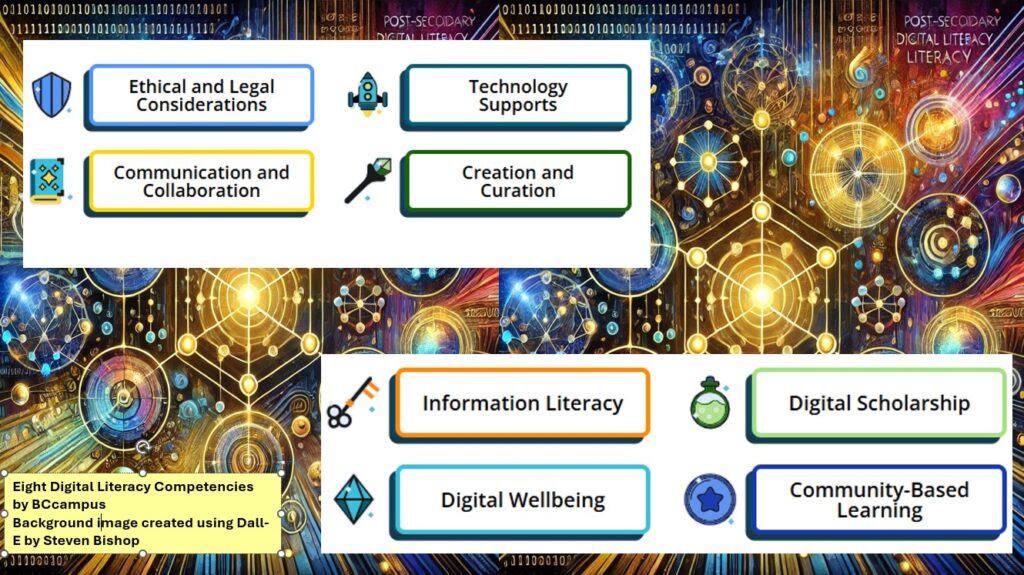
Douglas College supports the adoption of the B.C. Post-Secondary Digital Literacy Framework. This comprehensive guide was developed to enhance digital literacy across British Columbia’s post-secondary institutions. It defines digital literacy and outlines the essential knowledge, skills, and abilities required for effective participation in today’s digital society. The framework emphasizes creating accessible, inclusive, and equitable digital environments for all members of the post-secondary community, including educators, administrators, researchers, staff, and learners.
Here are a few easy-to-implement teaching ideas for each of the eight thematic competencies.
Ethical and Legal Considerations
Cite It Right: Use tools like Zotero for an in-class citation practice activity.
Troubleshooting Practice: Assign a low-stakes task where students solve common technical issues (e.g., fixing Wi-Fi settings or troubleshooting presentation software).
Open Access Exploration: Have students locate and summarize open-access articles using DOAJ or PubMed.
Mini Research Project: Assign students to create a short presentation or paper using Open Textbook Library.
Digital Publication Exercise: Encourage students to create a simple e-book using tools like Pressbooks.
Communication and Collaboration
Professional Email Etiquette: Use OER like (find something here) to teach concise and professional email writing.
Collaborative Brainstorming: Use free tools like Padlet or Microsoft Whiteboard Hypothes.is for group idea-sharing.
Peer Review: Implement structured peer reviews using Microsoft O365 tools or Hypothes.is commenting features.
Creation and Curation
Infographic Creation: Use free templates on Canva for students to visually represent course content.
Podcast Snippet: Have students record a short audio reflection or discussion using Kaltura Capture or Microsoft Stream
Digital Exhibit: Ask students to curate a small online collection of resources or artifacts.
Digital Wellbeing
Mindful Tech Useand Focus Tools: Share resources to teach balanced online habits, and manage distractions. A few Mental Health & Well-Being Smart Phone Apps examples provided by Confederation College.
Reflective Journals: Use OneNote or Blackboard Journals for students to track and reflect on their screen time and digital habits.
Community-Based Learning
Digital Storytelling: Use open guides to create community-focused narratives. If a good fit, introduce students to the Changing Narratives Fund (Canada Media Fund).
Virtual Interviews: Assign students to conduct short, recorded interviews with community members using Blackboard integrated tools like Zoom or Kaltura.
Crowdsourced Projects: Collaborate with local organizations to create a shared resource (find example for here).
BCcampus Digital Literacy Materials for Post-Secondary Educators
Incorporate digital skills into any post-secondary course to equip your students with the ability to exist, contribute, express, critically analyze, and stay healthy in digital spaces.
Instructors, staff, and administrators from Douglas College have been engaging in discussions of the future of digital learning in B.C.’s post-secondary education system. Here are some highlights from 2024 digital literacy events that will directly impact Douglas College and changes being asked of individual college instructors.
Emphasis for ethical, accessible, and responsive use of technology
Establishing a Professional Development Hub – dialogue facilitated by Melanie Latham, TRU
BC Campus Events page is a great place to look for upcoming PD opportunities, and access past event archives. Programs like the Facilitating Learning Online (FLO) series, the EdTech Sandbox series, and the Challenge Series offer training to enhance digital teaching skills.
Here is a good example to consider: 10 GenAI Challenge Series Inspired by the creative approach of the Agora Challenge Bank, BCcampus Open Education challenges, and past digital literacy Twitter challenges, BCcampus is excited to present a series of Generative AI in Education challenges! This open series is designed to build critical literacy around GenAI in a fun, engaging way, helping participants not only develop practical skills but also gain a deeper understanding of GenAI’s transformative potential in higher education. Join us for 10 interactive challenges that will expand your capabilities and critical perspectives on AI in learning! This is a self-paced, asynchronous, not-facilitated challenge series designed by Lucas Wright.
A custom GPT bot designed to help review and reinforce the workshop content
Supporting Digital Literacy Development with Open Educational Resources
The BC Digital Literacy Hub is a public, online collection of Open Educational Resources designed for instructors in post-secondary institutions in British Columbia. The goal is to help educators, including learning and teaching staff, integrate digital literacy materials easily into existing courses and improve their own digital literacy skills. In collaboration with the Ministry of Post-secondary Education and Future Skills, BCcampus developed this collection to support the implementation of the B.C. Post-Secondary Digital Literacy Framework. The collection was created for educators with the support and guidance from educational professionals across the province. Link to recording
The Digital Literacy Challenge was an eight-week asynchronous challenge to help participants expand their digital literacy toolkit. The resources are designed to help incorporate the eight competencies outlined in the B.C. Digital Literacy Framework into teaching practice, and how to support student success through digital literacy.
Enhancing Digital Equity
In the Digital Learning Strategy Forum session titled The Landscape of Merging Modalities and Planning for Multi-Access Learning Pathways, Valerie Irvine of the University of Victoria presented their experiences with merging modalities in the post-secondary classroom. With her method of multi-access learning, Irvine has successfully taught post-secondary students who were learning remotely, on-campus, blended, individually, and in groups. Dr. Irvine encouraged participants to consider the various obstacles to learning, and the different ways minority groups prefer to learn. Read this background article to learn more.
Ethical and Accessible Technology
Mindfulness of ethical and accessible considerations when using educational technology. Mitra Manesh, from the UCLA Center for Mindful Awareness, facilitated a workshop on Mindfulness & Technology on May 15, 2024. Link to notes Mitra provided
Ensuring digital content is accessible to students with disabilities. Please contact the Douglas College Accessibility Services for support with this competency.
Impact on Individual College Instructors
The BC Digital Literacy Framework, Strategy, and ongoing related events are intended to have significant impact on how instructors approach their teaching practices.
Instructors are expected to:
Incorporate Digital Literacy: Integrate digital literacy frameworks into curriculum, and ensure students are well-versed in navigating digital environments.
Participate in Professional Development: Take advantage of professional development opportunities to enhance digital teaching skills and stay current with technological advancements.
Utilize (and contribute) Shared Resources: Use shared educational resources and technology to improve the quality of teaching materials and reduce costs.
Support Digital Equity: Support initiatives that promote digital equity, ensuring all students have access to the necessary digital tools and resources.
Ensure Ethical and Accessible Use of Technology: Be mindful of ethical considerations and ensure their digital content is accessible to all students, including those with disabilities.
By embracing these changes, instructors can contribute to a more inclusive, equitable, and high-quality digital learning environment.
A conversation recorded from Douglas College, on the unceded traditional and ancestral lands of the Coast Salish Peoples, including the territories of the q̓íc̓əy̓ (Katzie), qʼʷa:n̓ƛʼən̓ (Kwantlen), kʷikʷəƛ̓əm (Kwikwetlem), xʷməθkʷəy̓əm (Musqueam), and qiqéyt (Qayqayt) First Nations, and from Thompson Rivers University on the Tk’emlúps te Secwépemc (Kamloops campus) and the T’exelc (Williams Lake campus) within Secwépemc’ulucw, reside on the traditional and unceded territory of the Secwépemc.
As a participant midway through the BC Campus 2024 Digital Literacy Challenge Series, I was delighted to have a chance to chat with the creators, Helen Lee and Melanie Lathan.
Helen Lee, Instructional Designer at Justice Institute of BCMelanie Latham, Coordinator, Educational Technologies, Thompson Rivers University
The series takes participants through the eight competencies outlined in the B.C. Digital Literacy Framework, and includes strategies for incorporating the skills into teaching practice, and how to support student success through digital literacy.
Participants receive one challenge in their inbox each Monday morning over the course of eight weeks. Each challenge will address the following:
What: a definition of the digital literacy competency
Why: the importance of each competency in teaching practice
How: approaches for developing the competency in our own learning, and how to incorporate these skills in our teaching practice
Interactive activities and thoughtful prompts help to learn how to incorporate digital literacy into your teaching practice and generate ideas on how to teach these skills to students. Each weekly challenge takes one to four hours to complete, depending on how deeply you want to explore.
There were four optional, synchronous drop-in sessions held over Zoom where participants asked questions and connected with peers in a casual setting.
In the DESC podcast with Steven Bishop and Auntie Marny, Jennifer Anaquod share her thoughts about how post-secondary education could be reimagined through an Indigenous lens. (1:30)
In the DESC podcast with Steven Bishop and Karine Hamm, Joann Anokwuru discuss how applying the three main principles of UDL into your course isn’t as difficult as you would think. (4:16)
These video excerpts are from the March 21 Stumbling Blocks and Stepping Stones hosted by Jennifer Anaquod.
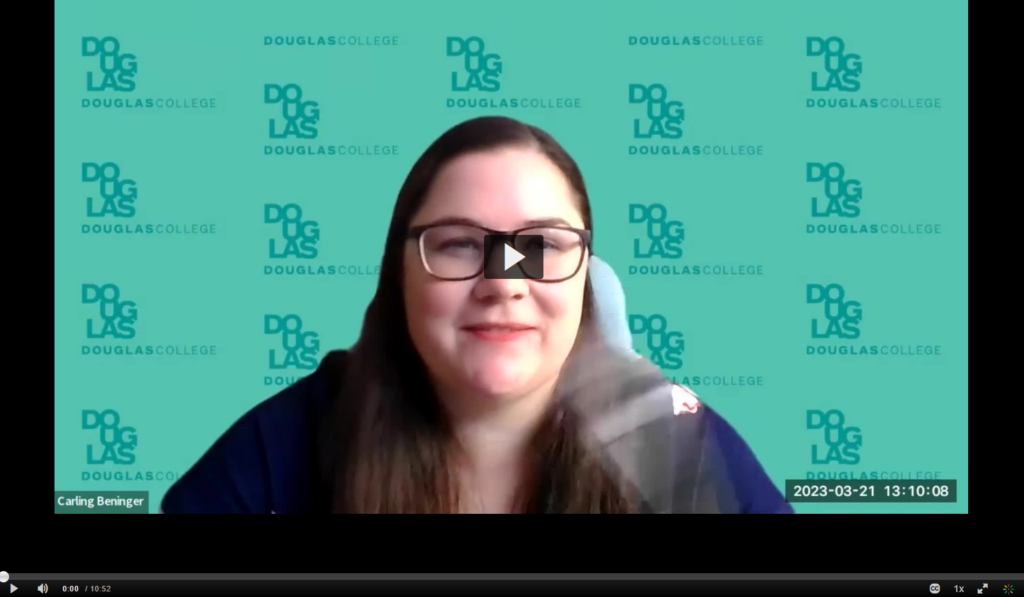
Carling Beninger
Carling expresses discomfort as a white settler teaching Indigenous history classes and discuss how she has navigated this by listening, centering Indigenous voices, and bringing in guest lecturers.
Carling mentions the importance of compensating Indigenous guest speakers for their time through an honourarium and providing a gift as per Indigenous protocol.
She aims to create a safe and inclusive environment for students, acknowledging the diverse backgrounds and experiences of her students.
She uses innovative teaching methods, such as having students perform an act of reconciliation, which has allowed some Indigenous students to connect with their culture.
Carling believes that education is a crucial part of reconciliation and feels fortunate to play a role in sharing Indigenous history with her students.
Click on the image below to watch Carling speak about her journey.
Kelley Young
Kelley is part of a pilot project in the Northwest Territories, teaching online courses for people who are in the role of educational assistance.
She acknowledges past mistakes and misunderstandings when working with Indigenous students and families, and is committed to learning and growing.
She has made changes to her teaching approach, such as leaving more space for conversation and wait time during live Zoom sessions, and using a Padlet for sharing and discussion.
Kelley values the connections made with people in the course and appreciates when they share their experiences and knowledge.
Click on the image below to watch Kelley speak about her journey.
Kimberley Sutherland
Kimberley acknowledges feeling discomfort and uncertainty, especially when making territorial acknowledgments in front of her students. She tries to engage her students in these discussions and shares her own learning journey.
She values the connections made with people in her course and appreciates when they share their experiences and knowledge.
She acknowledges past mistakes and misunderstandings and is committed to learning and growing.
Kimberley believes in the importance of moving forward despite discomfort and uncertainty, recognizing her position of privilege, and empathizing with those who do not share that privilege.
Click on the image below to watch Kimberley speak about her journey.
This video is taken from the February 26, 2024 Stumbling Blocks and Stepping Stones on Accomodation Requests and Faculty Readiness. Here is a summary of what Kari shared with us.
The transcript you provided is from a presentation given by Gustafson from the Faculty of Applied Community Studies, specifically focusing on disability and community studies. Here’s a summary:
Kari discusses the social and medical models of disability, explaining that the former locates disability within societal barriers rather than the individual’s body or mind.
She talks about the concept of disability justice, an intersectional movement that goes beyond removing barriers and advocates for collective action. This movement is led by those most impacted by the system, including people of colour, trans people, and sexual minorities.
She highlights the ten principles of disability justice from Sins Invalid, an artist disability activist group, and discusses their relevance in a learning context.
She also covers Universal Design for Learning (UDL), which advocates for multiple means of engagement, representation, and action/expression in learning.
Gustafson shares some practical strategies for inclusive teaching, such as allowing multiple formats of submission, breaking big assignments into smaller parts, providing choices for projects, and being flexible with due dates.
The talk ends with a discussion on grading and feedback, emphasizing skill mastery or demonstration over written work or memorization.
This video is taken from the February 26, 2024 Stumbling Blocks and Stepping Stones on Accomodation Requests and Faculty Readiness. Here is a summary of what Cathy shared with us.
She discussed accommodations, exceptions, and exemptions within Blackboard, a learning management system.
Accommodations are meant for a specific student and apply to all assessments in a course for the entire term. They can be due date accommodations or time limit accommodations.
Exceptions are applied to a specific assessment for one or more students. For example, if a student needs more time on a test or needs to take the test on a different day, an exception can be made for that one assessment.
Exemptions can be given to one or more students when a grade is not going to be included in the overall grade calculation.
Cathy also shared some of her practices for setting up courses for inclusion and clarity. For instance, she likes to indicate the worth of an assignment in the grade book and organizes all assessment information and submissions in a dedicated folder.